UX Framework
The Auto Grip System
Interaction Pattern
Overview
Standard virtual reality interaction models predominantly rely on "hold-to-grip" mechanics, necessitating sustained pressure on a controller trigger to maintain a grasp. For users with neuromuscular conditions - such as Cerebral Palsy or Spinal Muscular Atrophy - this requirement creates a critical barrier. The physical effort needed to maintain continuous muscle tension while moving the arm often results in rapid fatigue, involuntary spasms, and the accidental dropping of items.
The Auto Grip System resolves this by decoupling the intent to hold an object from the physical endurance required to sustain it. By shifting the interaction paradigm from a literal physical simulation to a state-based toggle, users can secure virtual objects with a single momentary input. This ensures that object manipulation relies on cognitive intent rather than muscle strength, preventing accidental disengagement.
Implementation Specification
The system architecture must be divided into three sequential execution phases:
Proximity and Intent Detection (Magnet Phase) | Detection Logic: Utilise a heuristic cone or sphere cast from the controller or tracked hand, rather than requiring precise collision mesh overlap.
- Feedback: When an interactable object enters this threshold, the system must render immediate visual and haptic feedback to signal that a grip is available.
The Sticky State (Lock Phase) | Attachment Logic: Upon interaction trigger (via a momentary button press, a voice command, or a dwell timer), the engine creates a persistent hard joint between the object and the controller.
- Alignment: The object's spatial pose must automatically align to the user's hand anchor to establish a natural grip orientation.
- Input Override: The system must actively intercept and ignore subsequent "button up" or release events that would conventionally drop the object.
Contextual Release (Drop Phase) | Release Logic: The object must remain attached until the user executes a distinct, intentional release action to prevent accidental drops.
- Supported Modalities:
- Method A (Toggle): A secondary momentary press of the primary interaction button.
- Method B (Kinematic Throw): If the controller's spatial velocity exceeds a predefined throw threshold, the system interprets the movement as a throw intent and automatically severs the joint constraint, transferring momentum to the object.
- Method C (Gaze Confirmation): The user directs their gaze toward a designated "Drop Zone" user interface element and confirms the release.
- Supported Modalities:
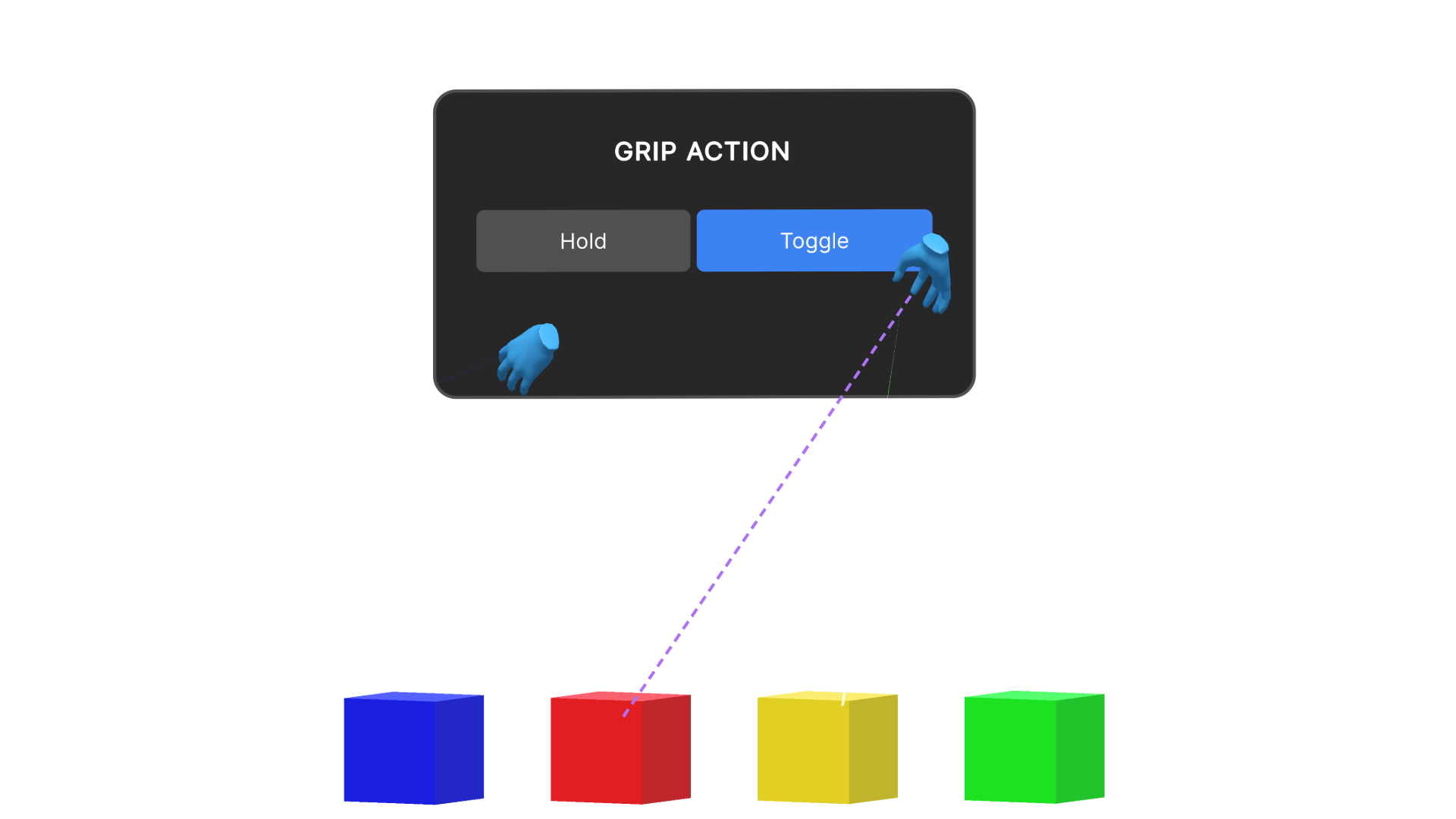
1. Proximity and Intent Detection (Magnet Phase): The user's hand approaches an interactable object. A ray or a heuristic detection cone is cast from the palm, identifying the object as a potential target. The object can be highlighted to provide immediate visual feedback of its interactive state.
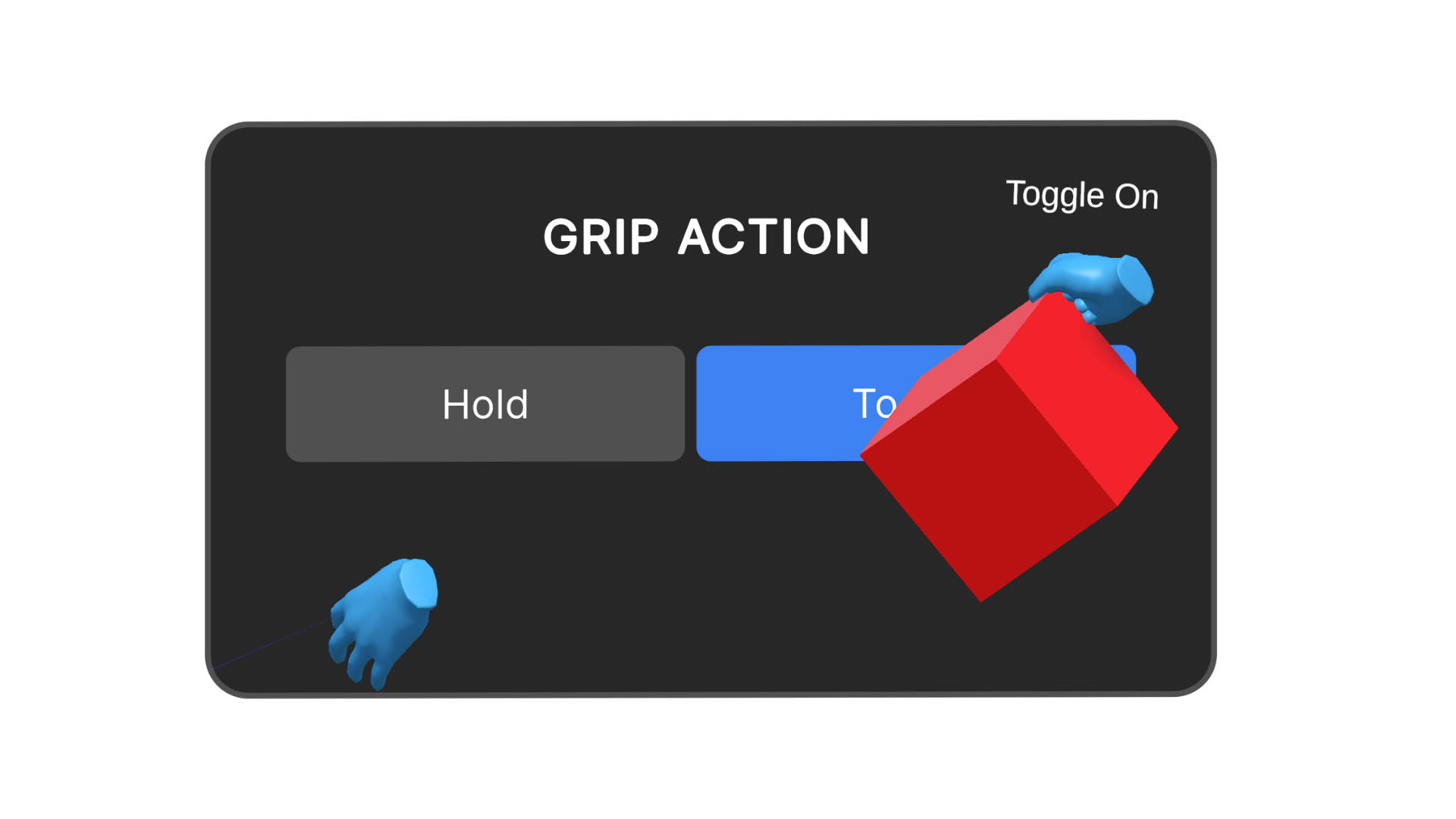
2. The Sticky State (Lock Phase): Upon triggering the interaction, the object is instantly attached to the hand. The system automatically aligns the object to the user's hand anchor, establishing a natural and ergonomic grip orientation. A visual pulse confirms the lock.
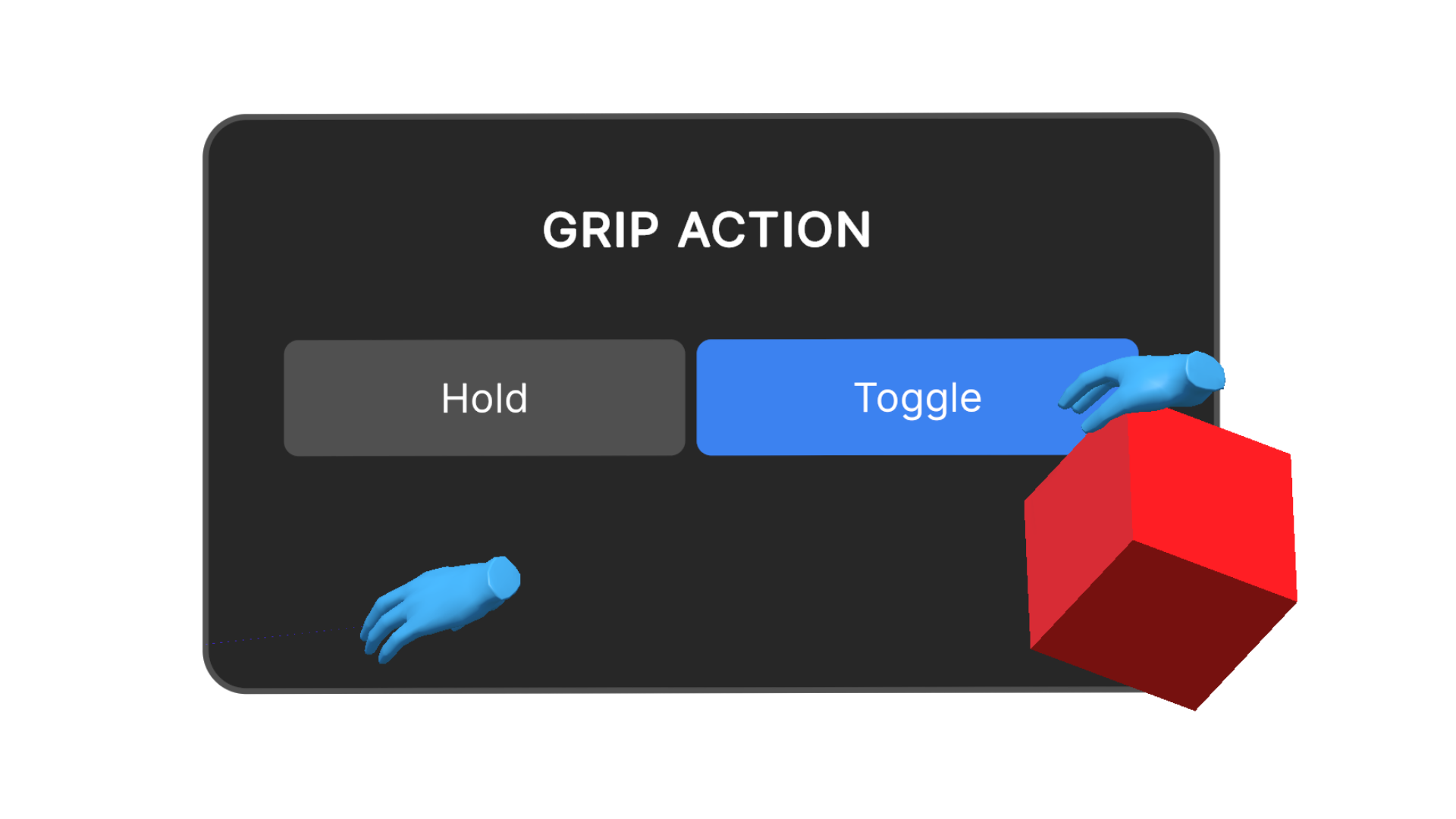
3. Persistent Grip: A persistent hard joint is created between the object and the controller. The object remains firmly attached to the hand, even with the user's fingers relaxed, removing the need for continuous button pressure. Persistent visual and haptic cues can provide optional ongoing feedback of the active grip state.
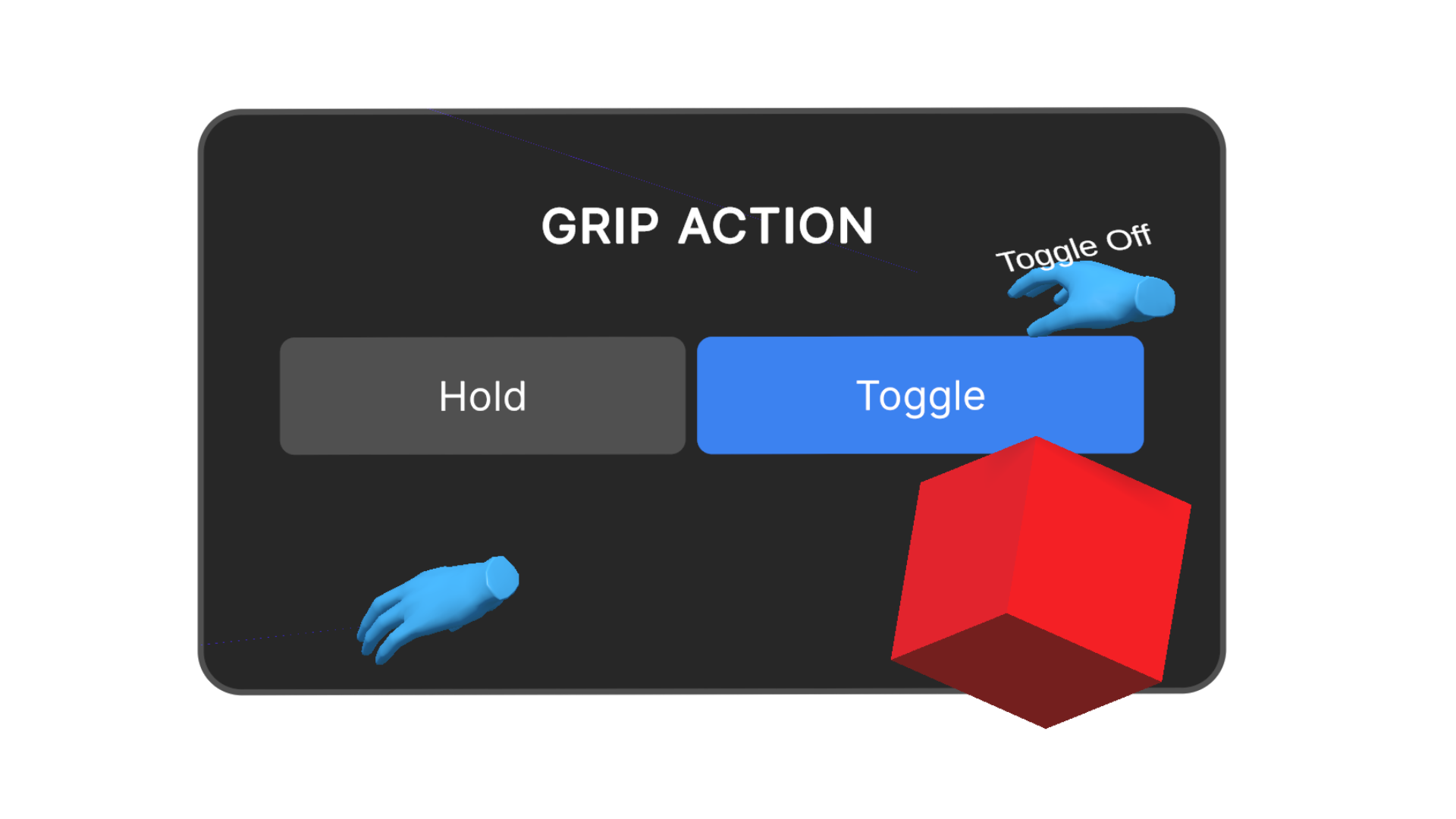
4. Release (Drop Phase): The object is only released through a distinct, intentional action. In this example, a simple 'Toggle Off' action is demonstrated.
Reference Pattern
Class AccessibleAutoGrip : MonoBehaviour {

    // Configuration Settings
    Boolean useToggleGrip = true;          // User preference: True = Click to hold, Click to release
    Boolean autoMagnetise = true;          // User preference: Snap object to hand on hover
    Float magnetThreshold = 0.5f;          // Distance in metres to detect objects
    Float throwVelocityThreshold = 2.5f;   // Speed required to auto-release for a throw

    // State Management
    Object currentHeldObject = null;
    Boolean isGripping = false;

    // Main Update Loop
    Function Update() {

        // 1. Check for Release Intent (Throwing or Toggle)
        If (isGripping) {
            If (CheckThrowVelocity() > throwVelocityThreshold) {
                ReleaseObject(applyVelocity: true);
                Return;
            }

            If (Input.GetButtonDown("Interact")) {
                ReleaseObject(applyVelocity: false);
                Return;
            }
        }

        // 2. Check for Grip Intent (If hand is empty)
        Else {
            Object target = SphereCast(radius: magnetThreshold);

            If (target != null) {
                HighlightObject(target); // Visual cue (e.g., outline shader)

                // standard interaction input
                If (Input.GetButtonDown("Interact")) {
                    AttachObject(target);
                }
            }
        }
    }

    // Attachment Logic
    Function AttachObject(Object target) {
        currentHeldObject = target;
        isGripping = true;

        // Disable physics gravity on object
        target.Physics.useGravity = false;

        // If Auto-Magnetise is ON, lerp position to hand anchor immediately
        If (autoMagnetise) {
            target.Position = this.HandAnchor.Position;
            target.Rotation = this.HandAnchor.Rotation;
        }

        // Create fixed parent constraint
        target.SetParent(this.HandAnchor);

        PlayHapticFeedback("HeavyClick"); // Confirm successful lock
    }

    // Release Logic
    Function ReleaseObject(Boolean applyVelocity) {
        If (currentHeldObject == null) Return;

        // Unparent and re-enable physics
        currentHeldObject.RemoveParent();
        currentHeldObject.Physics.useGravity = true;

        If (applyVelocity) {
            // Apply current hand velocity to object for throwing
            currentHeldObject.Physics.Velocity = GetHandVelocity() * 1.2; // Slight boost for assistance
        }

        isGripping = false;
        currentHeldObject = null;

        PlayHapticFeedback("LightTick"); // Confirm release
    }
}
Dependencies
Toggle-State Persistence Behaviour: Maintain the grip state without requiring continuous input.
Assisted Dexterity Behaviour (magnetism): Allow objects to snap to the user's hand when in close proximity, ensuring a secure grip without requiring precise alignment.
Enhancements
Multimodal Consistency Behaviour: Recommended to ensure that visual, haptic and audio feedback are all consistent and reinforce the gripping action.