UX Framework
The One Handed Navigator
Interaction Pattern
Overview
Implementation of full locomotion and rotation using a single thumbstick.
Implementation Specification
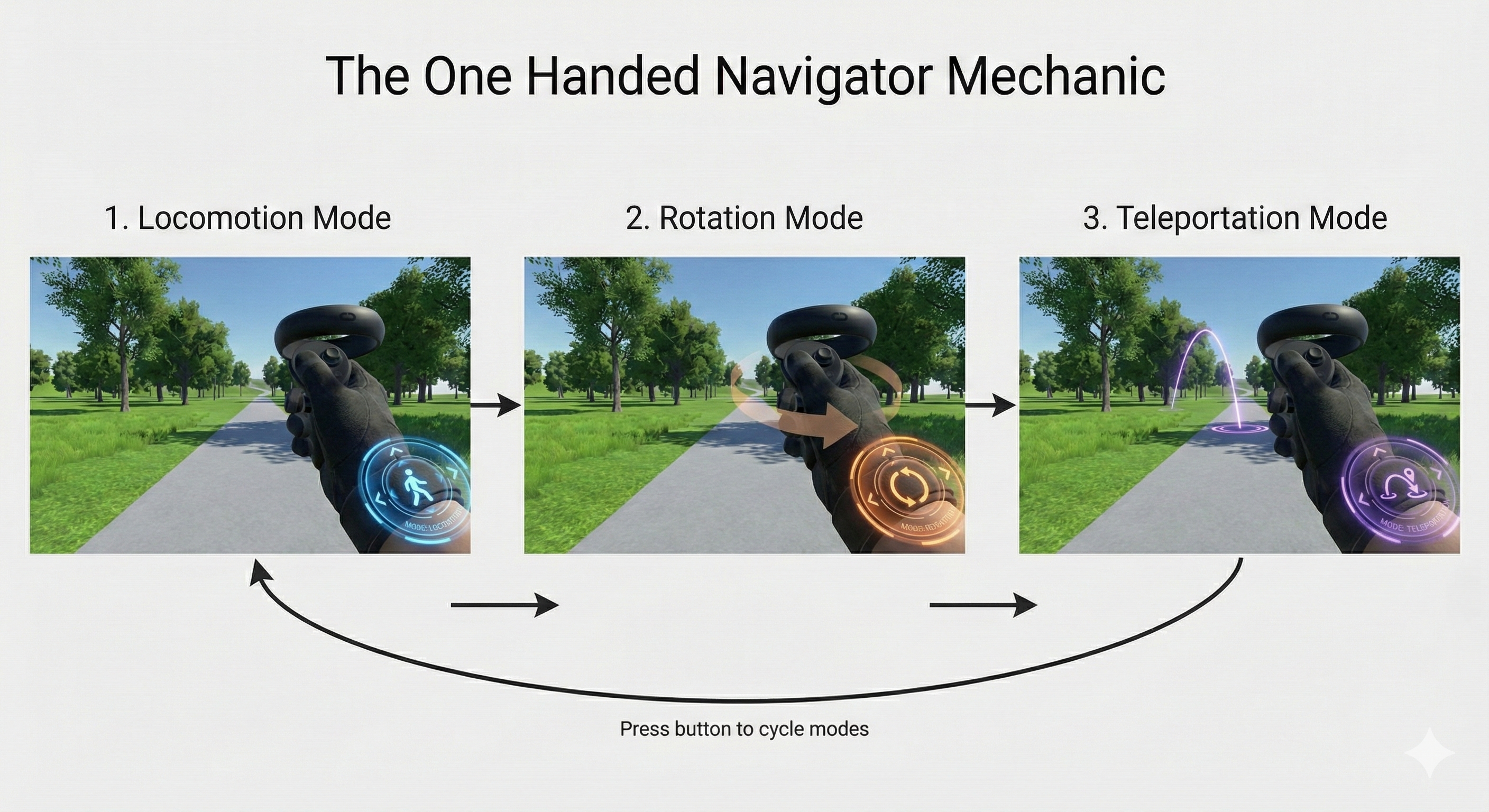
The use of a single thumbstick to control locomotion and rotation and teleportation. Implementation is via a mode-switching mechanism.
A designated button (or trigger) toggles between locomotion and rotation and teleportation modes.
The default thumbstick behaviour is locomotion mode, allowing the user to move forward, backward, left, or right.
The first button press switches the thumbstick to rotation mode, enabling the user to rotate their view left or right.
The second button press switches the thumbstick to teleportation mode, allowing the user to point and teleport to a new location.
The third button press switches the thumbstick back to locomotion mode, and the cycle continues.
Reference Pattern
// Pseudo-code for The One Handed Navigator Mechanic Implementation
// Tone: Technical Implementation Guide

Enum NavigationMode {
    Locomotion,
    Rotation,
    Teleportation
}

Class OneHandedNavigatorManager : MonoBehaviour {

    // Configuration
    NavigationMode currentMode = NavigationMode.Locomotion;
    Float movementSpeed = 3.0f;
    Float snapRotationAngle = 45.0f;
    Boolean hasRotated = false;

    // User Interface & System References
    TMP_Text modeIndicatorUI;
    AudioSource feedbackAudio;
    TeleportTargeter teleportSystem;
    Transform cameraRig;

    // Main Execution Loop
    Function Update() {
        ProcessModeToggle();
        ProcessThumbstickInput();
    }

    // Phase 1: Mode Switching Logic
    Function ProcessModeToggle() {
        // Intercept designated toggle button event
        If (Input.GetButtonDown("ModeToggle")) {
            Switch (currentMode) {
                Case NavigationMode.Locomotion:
                    currentMode = NavigationMode.Rotation;
                    Break;
                Case NavigationMode.Rotation:
                    currentMode = NavigationMode.Teleportation;
                    teleportSystem.ActivateTargeter();
                    Break;
                Case NavigationMode.Teleportation:
                    currentMode = NavigationMode.Locomotion;
                    teleportSystem.DeactivateTargeter();
                    Break;
            }

            ExecuteMultimodalFeedback();
        }
    }

    // Phase 2: Input Processing Logic
    Function ProcessThumbstickInput() {
        // Abstract input to mirror dynamically to the active hand
        Vector2 thumbstickInput = GetActiveControllerThumbstick();

        Switch (currentMode) {
            Case NavigationMode.Locomotion:
                ExecuteLocomotion(thumbstickInput);
                Break;
            Case NavigationMode.Rotation:
                ExecuteRotation(thumbstickInput.x);
                Break;
            Case NavigationMode.Teleportation:
                ExecuteTeleportation(thumbstickInput);
                Break;
        }
    }

    // Execution: Locomotion State
    Function ExecuteLocomotion(Vector2 input) {
        // Apply continuous translation based on X and Y hardware axes
        Vector3 moveDirection = new Vector3(input.x, 0, input.y);
        cameraRig.Translate(moveDirection * movementSpeed * Time.deltaTime);
    }

    // Execution: Rotation State
    Function ExecuteRotation(Float xAxisInput) {
        // Apply discrete snap rotation upon thumbstick deflection threshold
        If (xAxisInput > 0.5f AND !hasRotated) {
            cameraRig.Rotate(0, snapRotationAngle, 0);
            hasRotated = true;
        } Else If (xAxisInput < -0.5f AND !hasRotated) {
            cameraRig.Rotate(0, -snapRotationAngle, 0);
            hasRotated = true;
        } Else If (Mathf.Abs(xAxisInput) < 0.1f) {
            hasRotated = false; // Reset threshold buffer
        }
    }

    // Execution: Teleportation State
    Function ExecuteTeleportation(Vector2 input) {
        // Manage targeter arc and execute on thumbstick forward threshold
        teleportSystem.UpdateArcPosition();

        If (input.y > 0.5f AND teleportSystem.HasValidTarget()) {
            teleportSystem.ExecuteTeleport();
        }
    }

    // System Feedback
    Function ExecuteMultimodalFeedback() {
        modeIndicatorUI.SetText(currentMode.ToString());
        feedbackAudio.PlayOneShot("ModeSwitchBeep");
        PlayHapticPulse(0.5f);
    }
}